Search This Blog

Showing posts with label app. Show all posts

Friday, October 9, 2026

FAY Radio Version 1.0 Released !!

 FAY Radio , an online radio app for listening to music and news from around the world, recording live broadcasts, viewing schedules, and receiving alerts for favorite programs.


Download and listening here ->

 https://play.google.com/store/apps/details?id=ataya.p.gadget.fayradio

Saturday, August 22, 2026

FAY Diary Version 1.0 Released

FAY (Fast And easY) Diary app version 1.0 released !! Writing your private diary and back up on your own phone.


Download Free at Google Play ->

https://play.google.com/store/apps/details?id=ataya.p.gadget.faydiary&pcampaignid=web_share 


Thursday, August 6, 2026

FAY Random Numbers Version 1.0 Released

FAY(Fast And easY) Random Numbers app version 1.0 released !! Generating Random Numbers as you wish !!


Download Now At Google Play Store->

https://play.google.com/store/apps/details?id=ataya.p.gadget.fayrandomnumbers
 

Thursday, March 1, 2018

Sunday, June 11, 2017

FAY Serial Terminal #androidapp released

FAY(Fast And easY) Serial Terminal version 1.0 released !!
Connect your Android Smartphone with Microcontroller through USB OTG cable.

What's New :

1. support USB OTG function.
2. automatic detect USB device.


Download Here ->

Sunday, August 3, 2014

Paper Sumo Stadium

Paper Sumo Stadium version 2.5 has been released !!


version 2.5
1.Add sound effect.
2.Add more stage.
3.Fix Bugs.


Download here ->


Saturday, July 19, 2014

Pretty Camera version 1.0 released

Pretty Camera app is now available on Google Play !!


Download here ->
https://play.google.com/store/apps/details?id=ataya.p.gadget.prettycamera


Thursday, June 12, 2014

FAY #FTPCLIENT version 4.0 released

 I just released FAY FTP Client app version 4.0


-- What's New for version 4.0 --
1.Added Filter Button.
2.Fix bugs

Download and install here ->
https://play.google.com/store/apps/details?id=ataya.p.utilities.fayftp

Thursday, December 13, 2012

FAY FTP Client version 1.0 released


Just released yesterday on Google Play.
FAY(Fast And easY) FTP Client application. You can connect your Android device with your local Linux base FTP server and transfer files easily than ever. 


1.Client functions
   1.1) Upload file
   1.2) Delete file
2.Server functions
   2.1) Download file
   2.2) Delete file

Download free here ->
 https://play.google.com/store/apps/details?id=ataya.p.utilities.fayftp

Monday, November 5, 2012

Muscle Clock Version 3.0 released

Now available on Google Play ....
https://play.google.com/store/apps/details?id=ataya.p.gadget.muscleclock


What's in this version:

1.Add more templates.
2.Add preview selected photo at setting page.
3.Improved performance.

Wednesday, July 11, 2012

Muscle Clock Version 2.0 released

Here it comes ... Muscle Clock Version 2.0


What's new

1.Add more templates.
2.Add display setting alarm time on Notification bar.
3.Fix bug for loading image file error when no image file.
4.Optimized memory usage.

Download and Install here
https://play.google.com/store/apps/details?id=ataya.p.gadget.muscleclock

Tuesday, September 6, 2011

Quadrant Standard on Galaxy Tab Froyo vs Gingerbread

Old man : "Good news for today. Last time benchmark race between Galaxy Tab Froyo and Gingerbread didn't give result that show me the merit of updated my tab to Gingerbread. Today by using Quadrant Standard benchmark, it gave better score for Gingerbread tab... I hope I can count on this result."

Quadrant Standard result on Froyo Galaxy Tab.

Quadrant Standard result on Gingerbread Galaxy Tab.

Tuesday, July 12, 2011

How to add your feeds to Pulse

Old man : "Hi there !! After updated to Gingerbread. My tab has installed Pulse as a free gift. I don't what is it for a while. (Forgive me I'm just an old man ;p )
After playing for a while. Now I can add my feeds to Pulse. I will show you ..."


First, Open Pulse...

Then press Menu button and touch on [Manage Sources]

At Manage Sources page, press Menu button again and touch on [Add source]


You will see something like this. Just touch on [Search] tab.
 

At textbox, fill your feeds URL (In my case, It was my figure blog feed : http://feeds.feedburner.com/Lemongrass-studioFigurePhotosCollectionBlog) then just click on [search icon] button.


If you feeds URL was right, It will appeared on search results.Just click on [+] button to add you feeds to Pulse.


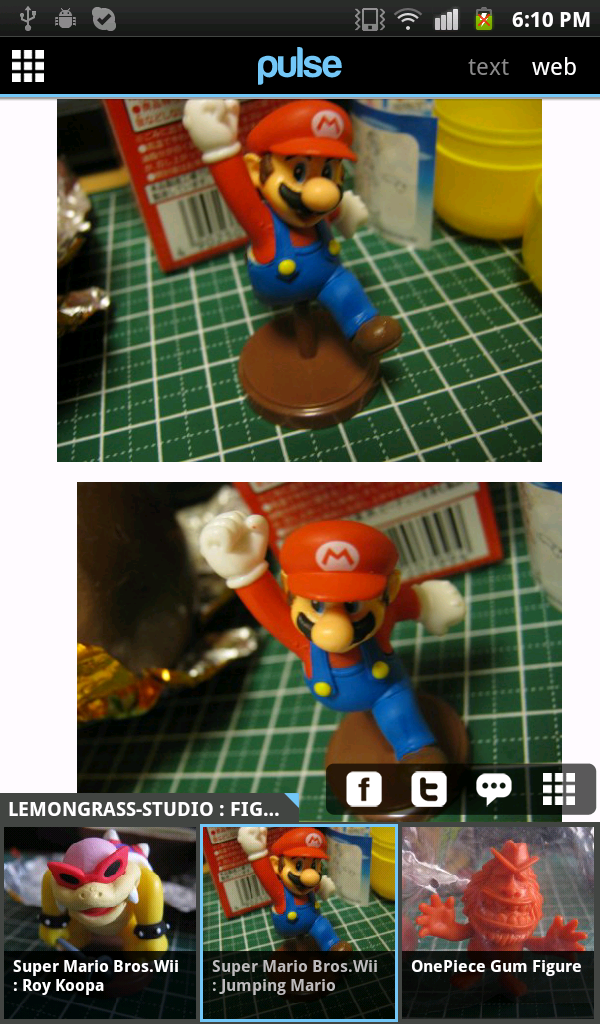
That is .. Now you can feed your own feeds here ...


Hmm...Nice reader ...